Motorcycle track telemetry

Got yourRaceBox already?

Great! Now add MyRacing and see what you did differently on the quicker lap.

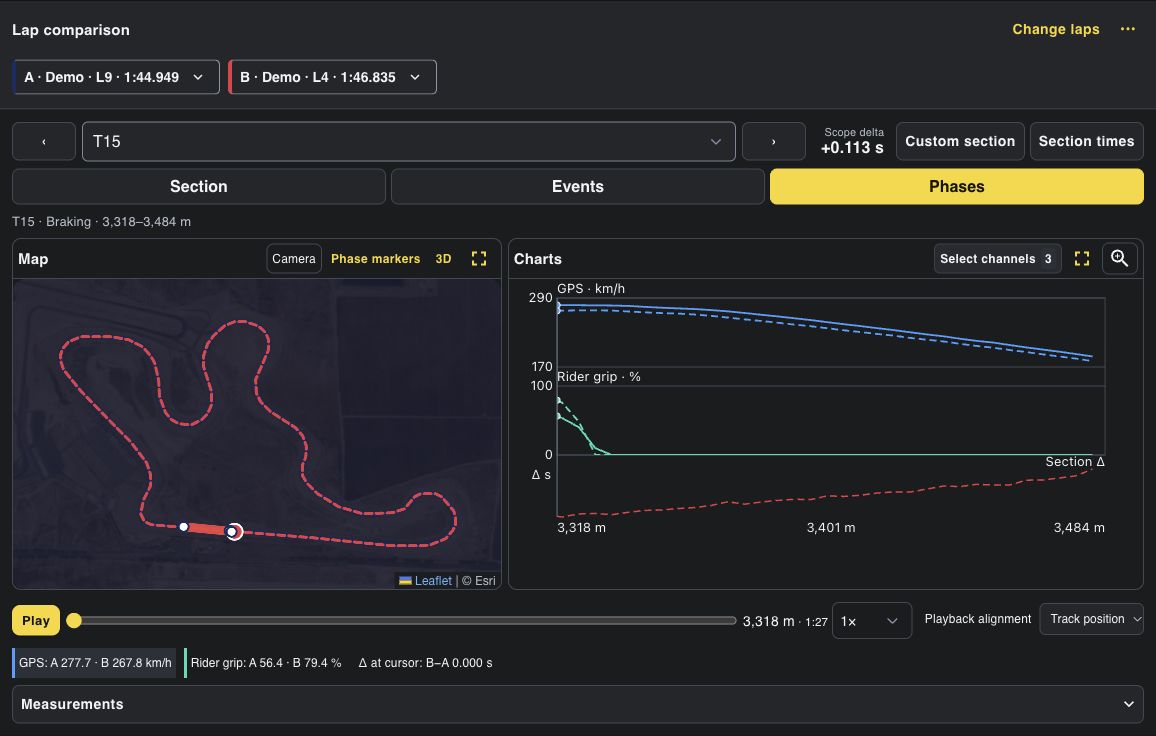
Get a measured breakdown of where you started braking, how quickly you leaned the bike in, what speed you carried through the apex and how quickly you picked the bike up on exit.

MyRacing Rider Pro compares Almería laps 9 and 4 under braking at Turn 15, with the map, recorded channels and playback controls
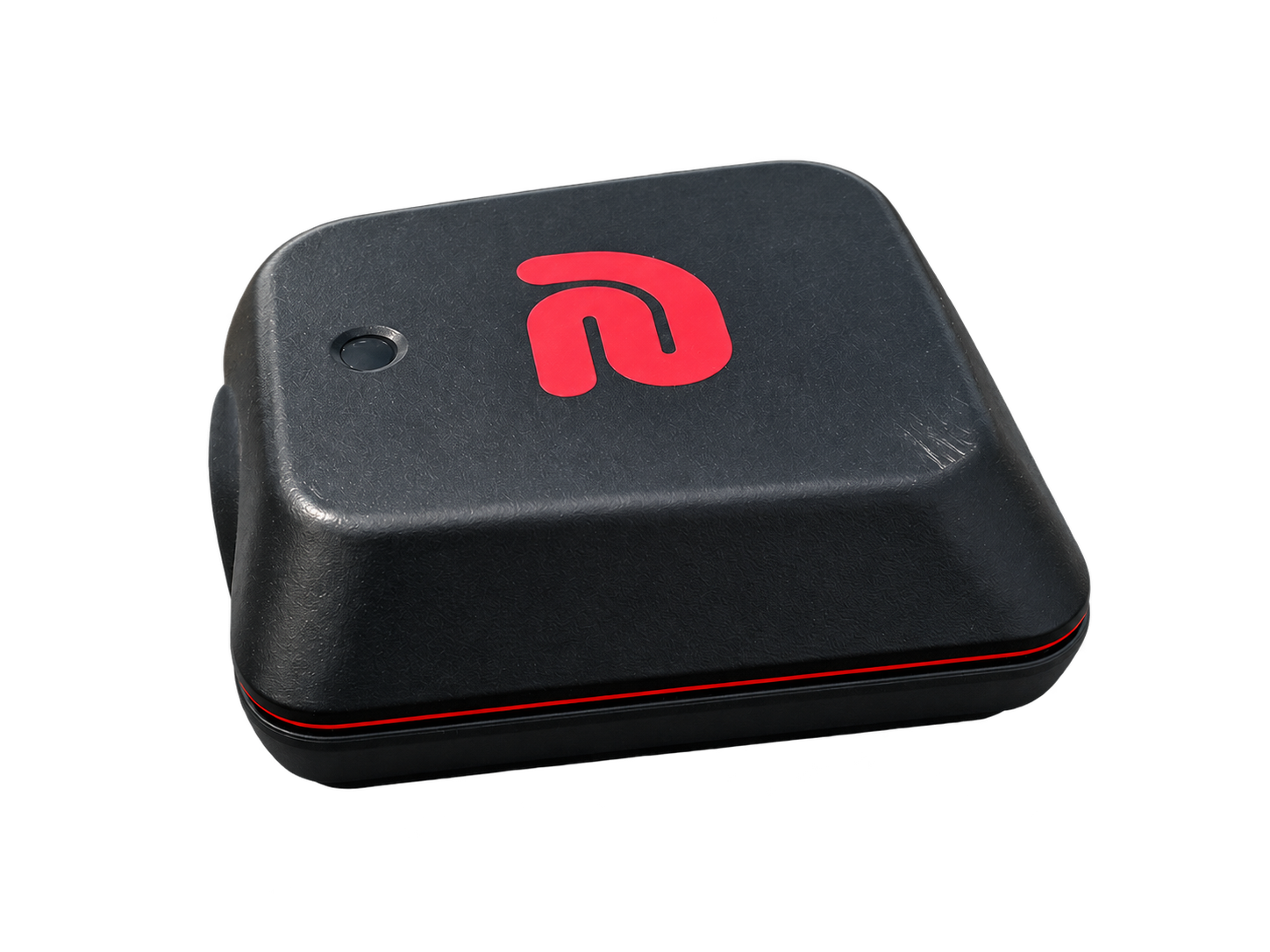
RaceBox Mini

Record with RaceBox GPS in the MyRacing Pulse app and compare your laps in MyRacing Rider Pro. Mount and calibrate your phone to record lean from its sensors.

Rider Pro · Sample session

What Rider Pro adds to RaceBox

Your RaceBox app already shows lap comparisons, speed traces and racing lines. Rider Pro shows which corners cost you time, which phase made the difference and how consistently you brake.

See how 2D and 3D lap comparison work

Compatibility and setup

Connect your RaceBox to the MyRacing Pulse app

Use RaceBox GPS on any motorcycle. The same MyRacing account gives you access to the MyRacing Pulse app and Rider Pro on the web.

RaceBox Mini, Mini S or Micro

The MyRacing Pulse app reads GPS from your RaceBox over Bluetooth at up to 25 positions per second, depending on the model.

Compatible RaceBox models

RaceBox Mini
Streams GPS over Bluetooth while connected to your phone.
RaceBox Mini S
Adds onboard storage. Pair it with the MyRacing Pulse app to use it as a live GPS source.
RaceBox Micro
A compact receiver for a custom installation. It needs an external power source.

Your first session in four steps

  1. Get the MyRacing Pulse app

    Sign in or create your MyRacing account in the app. Choose Rider Pro for recording and analysis.

    See Rider Pro plans
  2. Pair your RaceBox

    Turn on the device. In the MyRacing Pulse app, go to Settings → Devices → RaceBox GPS (BLE) and check that GPS is coming in. Mount and calibrate the phone if you want lean angle and G-force from its sensors.

  3. Ride with a live pit board

    See lap and sector times, delta and projected lap time while the app records. With supported ECU data, set alerts for coolant temperature and voltage.

  4. Compare your laps in MyRacing

    Upload the recording from the MyRacing Pulse app once you’re online. Open it in MyRacing and compare laps on the same track layout.

Add engine data when you want it

Plug a compatible ECU adapter into your bike with a model-specific diagnostic cable. The adapter pairs separately with the MyRacing Pulse app over Bluetooth. Compare the RPM and throttle readings your bike provides alongside RaceBox GPS.

Compatible ECU adapters

  • OBDLink CX
  • UniCarScan UCSI-2100
  • OBDeleven 2 (NextGen)

See in-depth ECU tests for the BMW S1000RR K67, Honda CBR1000RR-R SC82 and Yamaha YZF-R1 RN65.

Take MyRacing to the track

Download the MyRacing Pulse app

Free for iPhone and Android.

Choose Rider Pro access

Every Rider Pro option includes recording in the MyRacing Pulse app and lap analysis in MyRacing.

1 Month Pass
€5.99 once
Monthly
€4.59 / month
Annual
€45.99 / year

Frequently asked questions

Equipment and recordings
Which RaceBox models can I connect?
The MyRacing Pulse app pairs over Bluetooth with RaceBox Mini, Mini S and Micro. You can use it with RaceBox GPS on any motorcycle.
Do I need an ECU adapter?
GPS alone is enough for lap comparison, speed and GPS-based braking analysis. Add ECU hardware if you want the motorcycle’s supported readings.
Can I bring over existing RaceBox recordings?
File import is a separate workflow. RaceBox Custom CSV and VBO imports have been tested in development. Public availability has yet to be confirmed.
Sharing and accessories
Can someone follow my session remotely?
With Mechanic Live View, your mechanic or race engineer can follow in a browser with a free Mechanic account. Both sides need an internet connection.
What does ENGO 2 show during a session?
The MyRacing Pulse app shows live delta, last lap time and lap number in ENGO 2. See the recording setups for ENGO 2.