
Put an unused phone to work
A phone kept in a drawer can be useful when you want a handset for the motorcycle without using your everyday phone for the job. Mount it securely on the bike when using its sensors to record motorcycle lean and G-force.
This gives you a way to begin without spending on a dedicated logger. The recording set guide covers the equipment choices if you later want external GPS or motorcycle ECU data.
A phone and an M9 GPS receiver can put the Precision set at around €60 in hardware, or up to €100 with a mount. A Complete recording set with an ECU adapter can come to around €200. That gives you a useful budget comparison when considering an all-in-one logger, while the phone also serves as your live display. The recording set cost breakdown separates the hardware estimates from the Rider Pro plan.
Arm your session before you put your gloves on
Arm your session in the Pulse app before putting on your leathers. Finish getting ready and ride out; the session begins recording automatically when the motorcycle exceeds 30 km/h. There is no need to reach for the phone again as you leave the paddock. Recording also stops automatically when you remain stationary for a longer while.
Delta timing begins when you cross the finish line. Spoken lap times can reach you through your helmet audio, and recording works offline. A poor connection at the circuit does not prevent you from recording and saving a full session with the data from your connected devices.
Extra equipment can be less exposed
If you add GPS or an ECU adapter, the installation does not have to put all the hardware in an exposed position behind the seat. Where the motorcycle and receiver allow it, the GPS can sit inside the fairings, and the ECU adapter connects through the diagnostic cable under the bodywork.
Those positions leave the devices less exposed. The receiver still needs suitable reception, and the equipment and cables need securing. You can plan the installation around your motorcycle rather than assuming each addition needs a prominent mounting position.
Review your recording in MyRacing
After uploading the data recorded by the Pulse app, you can analyse the saved telemetry session in the MyRacing app. Review your recorded line and channels, compare laps and examine individual corners.
Someone helping from the paddock or remotely can also use Live View to follow the available data while you ride, provided both ends have a connection. The saved session remains the source for later analysis.
On supported circuits, MyRacing also generates a virtual 3D onboard from the recorded telemetry. You can watch the ride without having filmed it. The 3D replay article explains how it works.
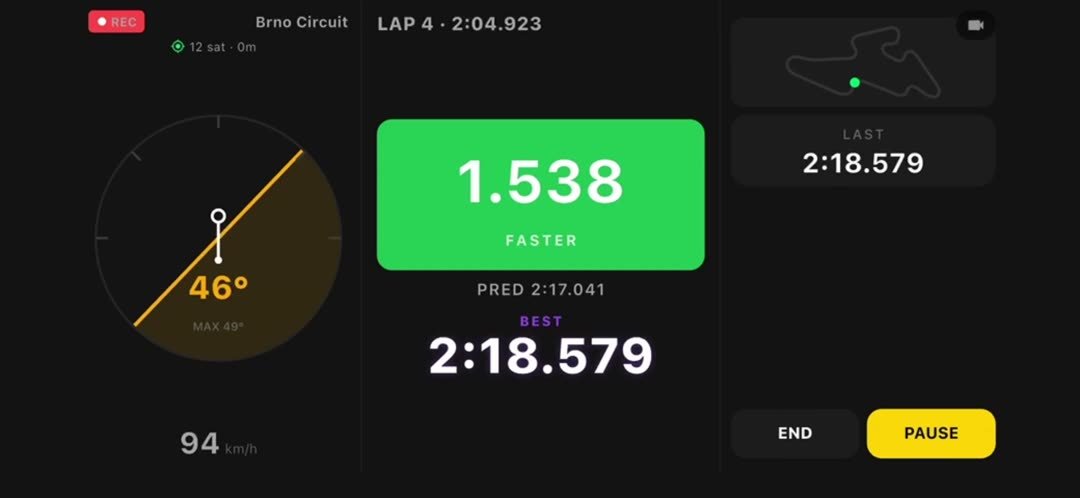
Live readings on the phone running the Pulse app.
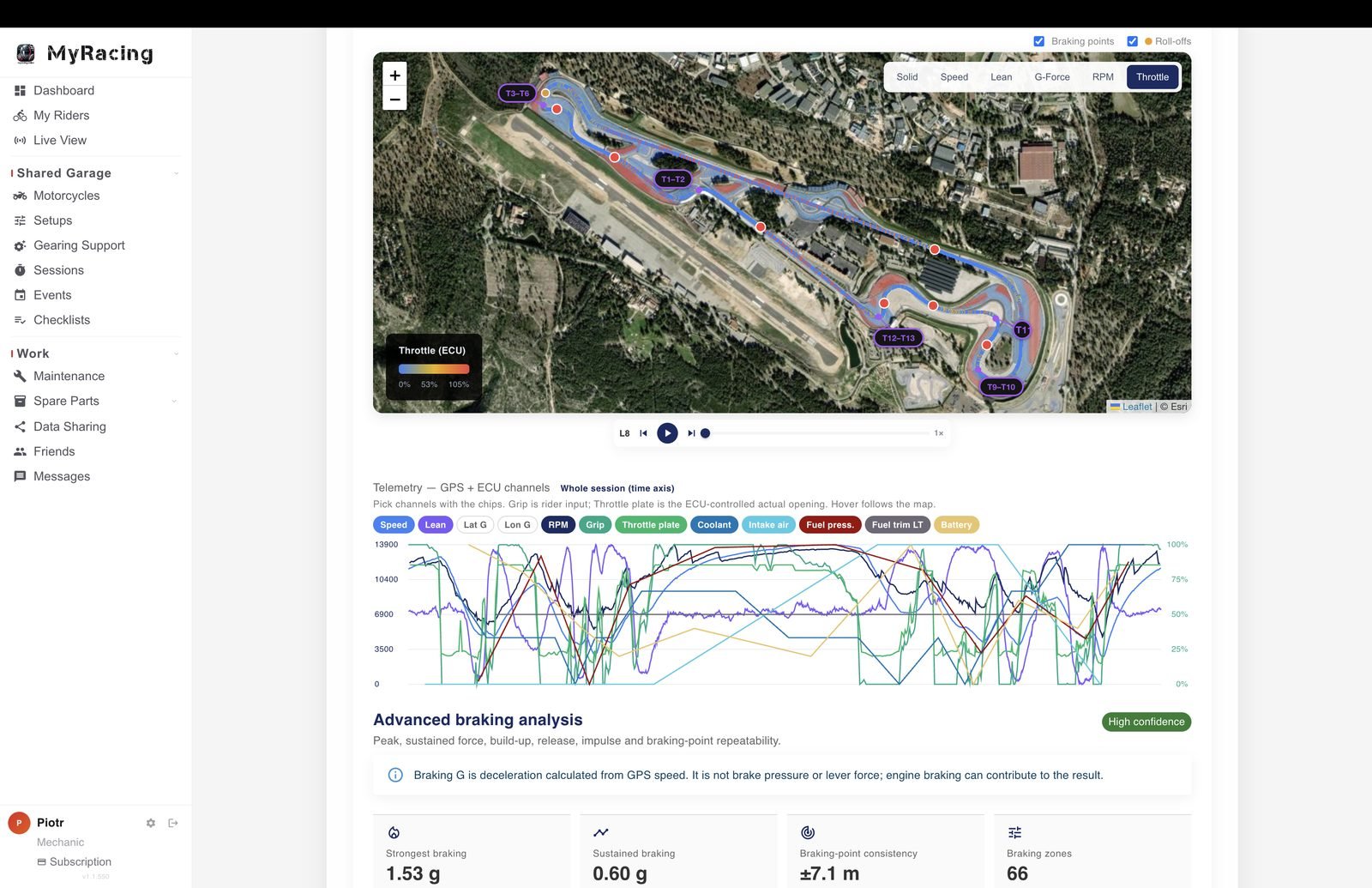
Recorded GPS and ECU channels in a saved MyRacing session.
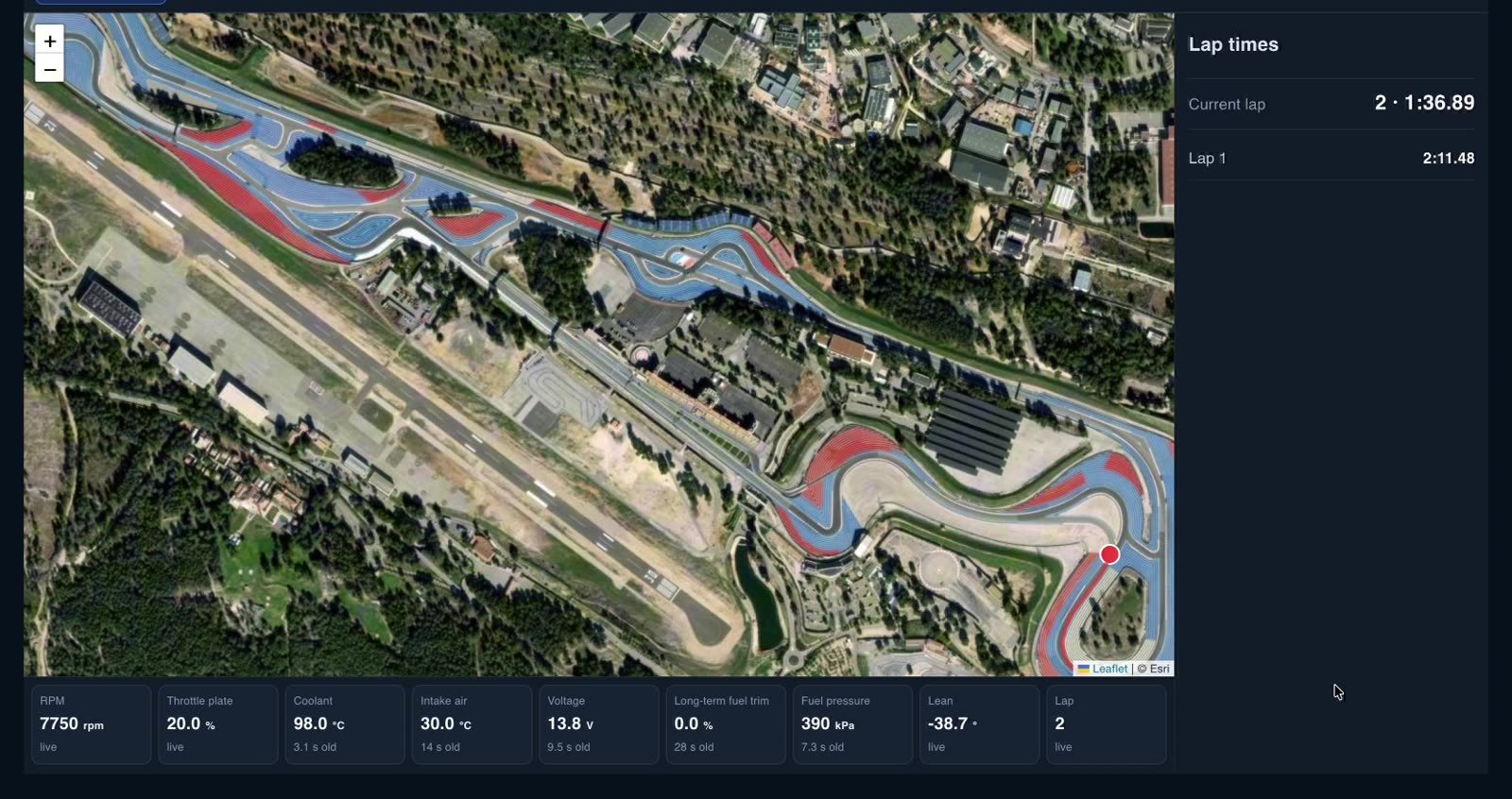
Live View in the mechanic’s MyRacing workspace.
With the phone mounted and your session armed before you get ready, recording can fit into the preparation you already do for a session. You leave with your gloves on and return with a recording to review.